

AI Product Photography With Shelfie: Marketplace-Ready Images Without a Studio
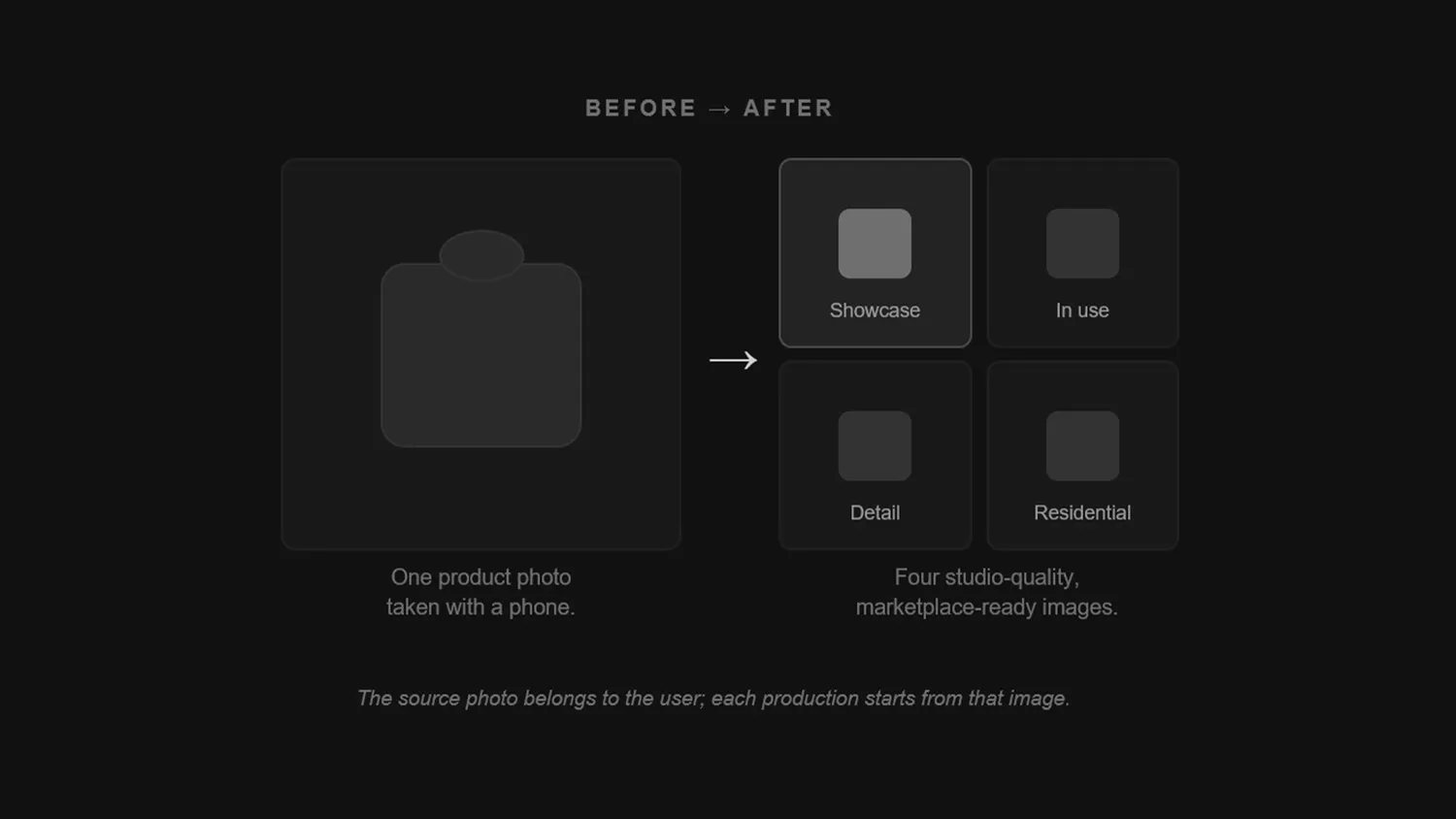
In e-commerce, the slowest step in getting a product live is usually not the copy — it is the imagery. The product is ready, the price is set, but there are no photos. A studio has to be booked, the product shipped, the shoot scheduled, the retouching awaited. That loop costs days for one product and weeks for a catalogue of a hundred.
AI product photography shortens the loop: one photo taken on a phone becomes a set of images that meet the size and background rules of the marketplace you sell on. This guide covers those rules, the shots a listing actually needs, how AI generation works step by step, and what the economics look like.
Why Product Photography Costs So Much
The cost is never a single line item. It is a stack of small ones:
- Studio and equipment: rental, lighting setup, backdrop materials.
- Logistics: shipping the product there and back, with the risk of loss or damage.
- Time: booking, shooting, selection, retouching, a revision round.
- Repeat cost: a new colour, a new size, a new season — the same loop starts over.
For a small brand this becomes the "the product is ready but I cannot list it" bottleneck. The bigger the catalogue grows, the bigger the bottleneck gets.
Marketplace Image Rules: A Quick Reference
Whether you shoot on a phone or generate with AI, the image first has to clear the platform's technical bar. The rules you will meet most often:
- Amazon: the longest side must be at least 1000 pixels for zoom to activate, and 1600 pixels or more for the best result; the main image needs a pure white background (RGB 255,255,255) with the product filling roughly 85% of the frame.
- Etsy: 2000 pixels on the shortest side is recommended; 4:3 displays best in search results, while a 1:1 square is the more practical choice if you sell across several channels.
- Trendyol: 1200 × 1800 pixels (2:3 portrait) is recommended, with 600 × 800 as the accepted floor; the main image requires a white background, in JPEG or PNG, typically under 2 MB.
- Hepsiburada, n11 and Shopify: similar expectations around portrait or square ratios and a clean background; check the current guide in your seller panel for exact specs.
These rules get updated from time to time. If an upload is rejected, the marketplace's own seller documentation is the first place to look.
The Four Shots Every Listing Needs
A single flat photo opens a listing but does not sell it. The set that actually moves conversion is usually these four:
- The hero shot: clean background, product centred — for the main image and search results.
- In use: the product in real context, so scale and usage become obvious.
- The detail: texture, stitching, material, label — this closes the "how good is it?" question.
- The styled scene: the product with complementary props, for social media and ad creative.
What really multiplies the cost by four is shooting this set separately for every product and every variant.
How AI Generates Product Images
- Upload one photo. A sharp frame taken on a phone, in daylight, against a plain surface is enough.
- Generate the framings. The model analyses the product and produces the hero, in-use, detail and styled variants.
- Pick ratio and resolution. Choose a portrait or square ratio and a 1K–4K resolution based on where you are selling.
- Download the copy with it. A good tool writes the title, description and tags alongside the images, sized to each platform's character limits.
Shelfie: From A Phone Photo To A Marketplace Image
Shelfie is our AI product studio, built to collapse exactly that flow into one screen. You upload a single phone photo; Shelfie analyses the product, asks a couple of clarifying questions if it needs to, and produces four different framings. Colour, texture and branding are preserved — you do not end up with a different product.
In the same pass it writes separate titles, descriptions and tags for Trendyol, Hepsiburada, n11, Amazon, Etsy and Shopify, each within that platform's character limits and search conventions.
Try Shelfie for free. Trial credits are added the moment you sign up, and no card is required. Upload one product and see the four framings for yourself.
The Economics: Studio Shoot or AI?
The comparison has to be made per product, not per photo, because every product needs four framings plus copy. On the studio side that number is the sum of booking, shipping, shooting, retouching and a revision round — and it repeats with every new variant.
On the AI side the cost is credit-based: a full four-image set plus SEO copy in Shelfie works out at roughly $1–1.50 per product. The free plan includes trial credits, monthly plans start at $19, and one-time credit packs that never expire are available as well.
Which plan fits you? Know how many products you list per month and size your credits around that. You can compare the current plans and credit packs on the pricing page.
What To Watch Out For With AI Imagery
- Do not change the product: colour, texture, logo and proportions must stay true. If what arrives does not match the image, returns and review scores suffer.
- Do not distort scale: in styled scenes the product should never look bigger or smaller than it is.
- Keep the main image plain: most marketplaces do not allow text, watermarks, borders or collages on the primary image.
- Mind category exceptions: some categories (second-hand, food, health products) may require real photographs; check the rules first.
- Input quality drives output: a sharp, well-lit phone photo without harsh shadows is the single variable that gets you closest to a professional shoot.
Frequently Asked Questions
Is A Phone Photo Really Good Enough?
Yes. If the product is in focus, the light is even and the background is not too busy, a phone photo works. A professional camera is optional; focus and light are not.
Will The Generated Images Meet Marketplace Rules?
They will once you pick the right ratio and resolution. It is still good practice to check rules like the white main-image background and frame fill before uploading.
Can I Edit The Generated Copy?
Yes. The title, description and tags are a draft; editing them into your brand voice before publishing always performs better.
How Many Products Can I Process At Once?
You can start with a single product; batch processing is available on the higher plans, and that is where the real time saving shows up as your catalogue grows.
Conclusion
Product photography no longer has to be the biggest obstacle in front of a listing. Combine the right set of shots, the marketplace's technical rules and a credit-based production flow, and "the product is ready but there are no images" disappears from your catalogue.
To try it with your own product, open Shelfie for free, see the Shelfie page for the details, or get in touch if you want your whole e-commerce content flow designed end to end.
Related posts
AI Chatbot for Customer Service: A Setup Guide for SMBs
Take support to 24/7 with an AI chatbot: where it works, a step-by-step setup, human handoff points, GDPR compliance and the metrics to measure success.
AI Automation in Practice: 9 Examples and a Setup Playbook
Make AI workflow automation concrete: 9 real examples from sales to accounting, the steps to build your first automation, and how to measure its ROI.